If you searched "HoneyBook client portal," you're probably in one of two spots. You already pay for HoneyBook and wonder why clients still email you files and feedback. Or you're shopping for a client portal and HoneyBook keeps coming up.
Either way, here's the straight version: what HoneyBook's portal actually does, where it's genuinely good, where it falls short for freelancers who mainly need a clean place to deliver work, and what to use instead (or alongside it).
Prices and features below were checked against HoneyBook's own pricing page and help center in November 2026. They change, so confirm before you buy.
What the HoneyBook client portal is
HoneyBook is a CRM for independent service businesses: proposals, contracts, invoices, payments, scheduling and automations. The client portal is the client-facing side of that. HoneyBook creates a portal for each project automatically, and the client sees the parts of the project you've shared with them.
According to HoneyBook's help center, clients can:
- Activity: read the project's messages and email threads, and send you messages
- Files: open shared documents, attachments and bookmarks
- Payments: see their invoices
- Meetings: view upcoming and past meetings (read-only)
- Notes and project details: view what you've chosen to share (read-only)
- Attach files of their own, and switch between projects if they're in more than one
Your tasks, automations, private notes and pipeline stay hidden.
HoneyBook refreshed the portal recently. You can now style fonts, colors, header images and buttons, put milestones, dates, bookmarks and client-facing tasks on an overview page, assign tasks to clients with deadlines, and turn the portal on or off per project. You can also put it on your own domain and customize the login screen.
Clients can sign in with a one-time email link, an email and password, or a 6-digit code sent by email, depending on how they arrive.
What HoneyBook's portal does well
Credit where it's due. HoneyBook's portal is strongest when the relationship is mostly about paperwork and money:
- Proposal, contract, invoice, paid, in one flow. The client signs and pays inside the same branded experience. Few portal-only tools come close here.
- It's included. The portal comes with every plan, so if you already use HoneyBook for booking and billing, there's nothing extra to buy.
- Branding is solid. Custom domain, branded login, your fonts and colors.
- Client tasks are useful. "Send your logo files by Friday" with a deadline beats a reminder buried in an email.
If your clients mostly need to sign, pay and show up to meetings (wedding vendors, coaches, event pros), HoneyBook's portal is a perfectly good choice.
Where it falls short for freelancers who deliver work
The gaps show up when the job is less "book and bill" and more "send drafts, collect feedback, get sign-off." That's most designers, developers, video editors and agencies.
Feedback isn't tied to the file
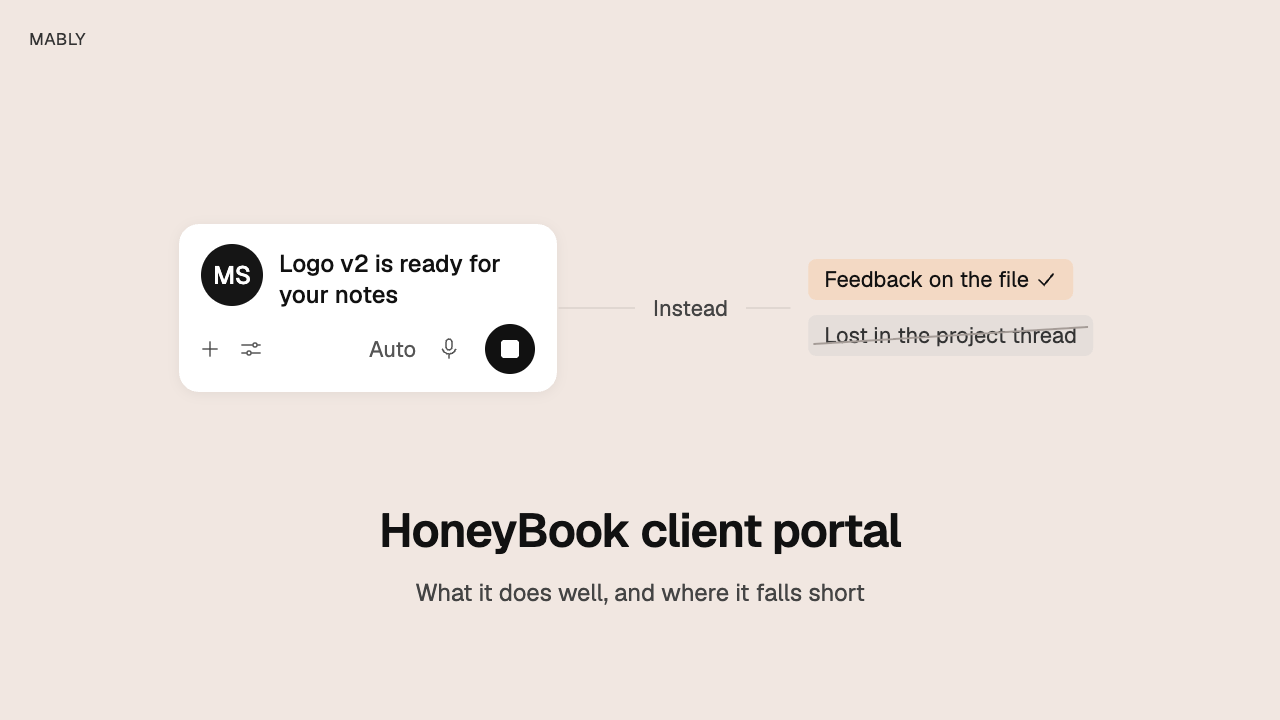
In HoneyBook's portal, files live in a Files tab and conversation lives in the Activity tab. HoneyBook's help docs don't describe comments on a specific file or version. So "the logo on v2 is too thin" ends up in a thread next to scheduling messages, and you rebuild the context yourself every round.
No sign-off record for deliverables
HoneyBook's signatures are built around its own files: proposals, contracts and invoices. For a homepage design or a video cut, there's no documented "approve this file" step that records who approved which version and when. That's the record you want when a client says "I never approved that" three weeks later. (More on that in our guide to the client approval process.)
Client uploads are quiet
HoneyBook's help center notes that when a client attaches a file in the portal, other participants can see it, but no notification goes out. Fine for occasional uploads, easy to miss when a client sends final copy the night before a launch.
You're paying for a whole CRM
If you only need the portal, you're still buying the full platform. HoneyBook's pricing page lists:
- Starter: $29/mo billed annually (includes the portal, but shows "Powered by HoneyBook")
- Essentials: $49/mo billed annually (removes the badge, up to 2 team members, adds automations)
- Premium: $109/mo billed annually (unlimited team members, multiple companies)
Monthly billing costs more, and card processing fees (listed as starting at 2.7% + 10¢) come on top of the plan when clients pay through HoneyBook. Worth it if you use the CRM. Steep if you want a branded place to share work.
It's only available in four countries
HoneyBook currently supports businesses in the US, Canada, the UK and Australia. If you freelance from India, Europe, Latin America or anywhere else, it isn't an option for your business at all, no matter where your clients are.
HoneyBook vs Mably vs Dubsado vs Notion: at a glance
- Best for: HoneyBook, booking, contracts and payments in one CRM · Mably, delivering work (files, feedback, approvals) · Dubsado, heavily customized workflows and forms · Notion, teams already living in Notion
- Starting price: HoneyBook $29/mo billed annually · Mably $9/mo ($2.25/mo for founding members) · Dubsado $335/yr · Notion free, paid from $10/seat/mo
- Per-file feedback: HoneyBook not documented · Mably yes · Notion page comments
- Approval record on deliverables: HoneyBook and Dubsado cover contracts, proposals and forms · Mably records who approved which file and when · Notion is manual
- Proposals and contracts: HoneyBook and Dubsado yes · Mably and Notion no
- Client sign-in: HoneyBook email link, password or code · Mably magic link or email code · Notion account or public page
- Availability: HoneyBook US, Canada, UK and Australia · Mably and Notion worldwide
- Free trial: HoneyBook yes · Mably 14 days · Dubsado 21 days · Notion free plan
Competitor details from each vendor's public pricing and help pages, November 2026. Where a tool is missing from a row, we couldn't confirm it from its public pages. Mably details from mably.io.
The alternatives, honestly
Mably: a client workspace, not a CRM
Mably is what we build, so weigh this accordingly. It's a branded client portal for freelancers and small studios, and it deliberately doesn't try to be a CRM or a project management tool.
Each client gets one link with:
- Files with per-file feedback, so comments stay attached to the draft they're about
- Approvals with a record of who approved what and when
- Chat and an activity timeline for the whole project
- A links hub for Figma, Drive, Loom and staging URLs
- A payments view so clients can see invoices and what's due
- A simple client CRM on your side
Clients sign in with a magic link or an email code, no password to forget (here's why password walls hurt portal adoption). Client guests are free.
What Mably doesn't do: proposals, contracts, e-signatures, lead forms or automations. If you need those, HoneyBook or Dubsado is the better fit.
Pricing: Starter is $9/mo (1 active project, 1 GB). Growth is $19/mo (unlimited projects, 25 GB, removes the "Powered by" badge). The first 50 founding members get 75% off for life.
Dubsado: more control, more setup
Dubsado covers similar ground to HoneyBook (CRM, contracts, invoices, forms, a client portal) with deeper workflow and form customization. Plans start at $335/year with a 21-day trial. It's a good HoneyBook alternative if you want more control and don't mind spending time on setup. It's not much lighter.
Notion: free and flexible, if you'll maintain it
Plenty of freelancers share a Notion page as a portal. It's free to start and endlessly flexible. The catch is that you build and maintain it, there's no approval trail, and clients often get lost in a workspace that was designed for you. We wrote a whole piece on why your client doesn't need your Notion workspace.
Can you use HoneyBook and Mably together?
Yes, and for some freelancers it's the cleanest setup. Keep HoneyBook for what it's great at: proposals, contracts, invoices and getting paid. Use Mably for the delivery phase, where files, feedback and approvals pile up. The contract lives in HoneyBook. The "approved v3 homepage, 14 Nov, 4:12pm" lives in Mably.
Which should you pick?
- Your clients mostly sign, pay and book calls: stay with HoneyBook. Its portal is built for that.
- You deliver creative or technical work in rounds: you need per-file feedback and approvals. Use Mably, alone or alongside HoneyBook.
- You want a full CRM with deep customization: look at Dubsado.
- You're outside the US, Canada, UK or Australia: HoneyBook isn't available to you, so pick from the rest.
- You want free and don't mind maintaining it: Notion, with eyes open.
FAQ
Does HoneyBook have a client portal?
Yes. HoneyBook creates a client portal for every project. Clients can read messages, open shared files, see invoices and meetings, and attach their own files.
Is the HoneyBook client portal included on every plan?
Yes. The portal is included on Starter, Essentials and Premium. Removing the "Powered by HoneyBook" label requires Essentials or higher.
How do clients log into the HoneyBook client portal?
Depending on how they arrive, clients sign in with a one-time email link, an email and password, or a 6-digit code sent to their email.
Can clients leave feedback on specific files in HoneyBook?
HoneyBook's help documentation describes project-level messages and a Files tab, but not comments on a specific file or version. Feedback typically goes in the project's message thread.
Can I use HoneyBook outside the US?
HoneyBook currently supports businesses in the US, Canada, the UK and Australia. Freelancers elsewhere can't sign up for their own business.
What's a cheaper HoneyBook client portal alternative?
If you mainly need a branded place for files, feedback and approvals, Mably starts at $9/mo (with 75% off for life for founding members). Notion is free but DIY. Dubsado starts at $335/year and is a full CRM.
Try it with a real project
The fastest way to know if a portal fits is to click around one. Open the Mably demo workspace and see what your client would see, or start a 14-day free trial and send your next draft through it instead of email.