You spent a weekend on it. A clients database linked to a projects database linked to a tasks database. Rollups. Status properties with colours that actually mean something. A dashboard that makes you feel, for the first time in months, like you run a real business.
So you made a page for your newest client, shared it, and sent them the link with a little note: "This is your project hub. Everything's in here."
A week later they emailed: "Sorry, where can I find the latest logo files?"
The logo files were in there. Three clicks deep, inside a toggle, under a linked database view filtered to their project.
It's a story that comes up again and again in freelancer communities. Projects in Notion, invoices in Stripe, files in Drive, and then a client asks where the file is. The freelancer's system is working perfectly. It's just working for the freelancer.
If you've been searching for a Notion client portal, this article is for you. Not to talk you out of Notion, but to suggest you might be asking it to do a job it was never really designed for.
The short answer: can Notion be a client portal?
Yes, technically. There are a few common ways freelancers do it:
- Share a private page with the client as a guest, so they can view or comment on it.
- Publish a page to the web, so anyone with the link can see it without logging in.
- Use a Notion client portal template with sections for files, updates, tasks and invoices.
- Use a separate tool that sits on top of Notion and shows clients a cleaner view of your data.
All of these can work. But "can Notion be a client portal?" is the less useful question. The better one is this: why should your client have to understand the tool you use to run your business?
Notion isn't the problem
Let's be clear about this, because a lot of "stop using Notion" content gets it wrong.
Notion is a brilliant place to run a freelance business. It's flexible, it's cheap, and it bends to fit whatever strange way your brain likes to organise things. If you've built a system that helps you track leads, plan projects and remember which client prefers calls over email, that's worth keeping.
The problem is narrower than that. It's the moment you take a workspace designed for you and hand it to someone who isn't you.
Your workspace was designed around your brain
Here's what the sidebar of a fairly typical freelancer's Notion workspace looks like. Maybe yours is tidier. Maybe it's worse.
- Dashboard
- Inbox
- Weekly review
- Clients
- Projects
- Tasks
- Meeting notes
- Proposals
- Contracts
- Invoice tracker
- Content ideas
- SOPs
- Swipe file
- Brand assets
- Time log
- Finances 2026
- Q4 goals
- Archive
Eighteen things. Every one of them earns its place. You know that "Tasks" is filtered by due date, that "Inbox" is where half-formed ideas go to wait, and that "Archive" is where finished projects live except for the two you haven't moved yet.
Now imagine you're the client. You've been sent into a small corner of that world, and you've got maybe ten minutes between meetings to find one file.
What you need internally isn't what your client needs
Your internal system has to answer questions like:
- What am I working on today?
- Which projects are at risk this week?
- Who hasn't paid?
- What did I promise this client on the last call?
- Where did I save that reference I liked?
Your client's questions are completely different, and there are far fewer of them. They don't care how your tasks are prioritised or how your databases relate. They care about their project, and usually only about the part of it that involves them right now.
When the same workspace tries to answer both sets of questions, one side loses. And because you built it, it's almost never your side.
The accidental complexity clients inherit
Nobody sets out to make a confusing client portal. The complexity sneaks in through perfectly reasonable decisions. A few of the usual culprits:
- Accounts and logins. If you share a private page as a guest, your client usually needs to sign in to Notion to comment or edit. For some clients that's nothing. For others it's another account, another password reset, another reason to just email you instead.
- Structures that only make sense if you built them. Toggles, linked views, nested pages and relations are great for you. To a client they're doors, and they don't know which one to open.
- Filtered views that look like privacy. A filtered database view shows the client only their project, but a filter isn't a permission. Depending on how things are shared, it can be surprisingly easy for someone to see more than you intended.
- The mobile experience. A lot of clients check in from their phone. A dense Notion page that looks tidy on your laptop can turn into a long scroll of collapsed sections on a small screen.
- No obvious "this needs you" signal. In your workspace, everything is information. Nothing clearly says "this is waiting for your approval" unless you build that yourself and remember to maintain it.
- Feedback with no clear home. Does the client comment on the page, the block, the database row or the email you sent? Usually they pick a different one each time.
None of these is a dealbreaker on its own. Together, they're why so many carefully built Notion client pages get opened once and then quietly abandoned.
The four questions clients actually arrive with
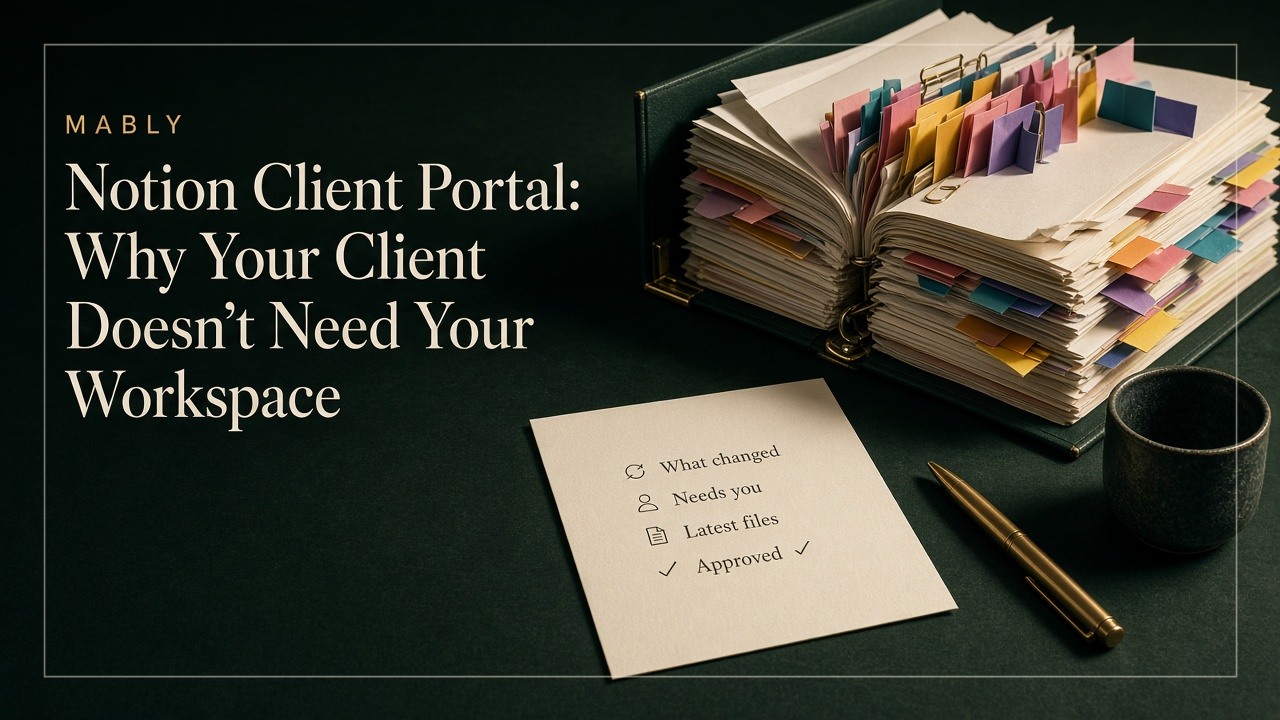
Strip it all back and most clients open a project link with one of four questions:
- What changed? Since I last checked, what's new?
- What needs me? Is anything waiting on my feedback or approval?
- Where's the file? The latest version, not the one from two weeks ago.
- What have I already approved? So I don't reopen decisions or contradict my own team.
Put that list next to the eighteen-item sidebar and the mismatch is obvious. The client needs four answers. You've given them a workspace.
A good client portal, whether it's built in Notion or anywhere else, should answer those four questions on the first screen without anyone explaining how it works.
Keep Notion as your operating system
Here's the good news: you don't have to choose between your system and your client's sanity.
Keep Notion for what it's great at. Planning, tracking, notes, proposals, your weekly review, the whole back office. Let it stay as messy and personal as you need. That's where you work.
Then treat what the client sees as a separate thing. Not a filtered slice of your workspace, but a small, deliberate view built around those four questions. When something is ready for them, you move it across on purpose: the file, a sentence on what changed, and a clear ask.
That's the distinction we're building Mably around. It doesn't ask you to move your internal workflow out of Notion, Figma, Drive or whatever already works. It gives the client a simpler layer over the relationship: one branded link where they can see updates, files, feedback, approvals, invoice status and the links they keep asking for. Clients sign in with a magic link or an email code, so there's no new password and nothing to learn first.
Put a simpler layer between your system and your client
Whatever tool you use for that client layer, a few principles make the difference:
- One link per client, forever. Not a new Notion page, a new Drive folder and a new Loom for every phase.
- Show the state, not just the file. "Homepage, revision 3, waiting for your approval" is far more useful than a file called homepage-final-v3.pdf.
- Make approvals a recorded event. If a client approves something, it should be clear later what they approved and when. A thumbs-up emoji on a Notion comment is easy to lose. (We've written more about why "looks good" isn't a real sign-off in How to Manage Freelance Clients.)
- Keep internal things internal. Your notes, buffer deadlines and half-finished ideas stay in Notion, where nobody has to interpret them.
The same idea applies well beyond Notion. If you've ever invited a client into Asana, Trello or ClickUp and still got "any updates?" emails, we cover that side of it in Client Portal vs Project Management Software.
If you do use Notion as a client portal, do it carefully
Maybe you're not ready to add another tool, or your clients are already comfortable in Notion. That's fair. If you're going to use Notion as your client portal, these habits will save you a lot of confused emails:
- Build a separate page for each client, rather than sharing linked views of your master databases. It's more work up front but much harder to leak something by accident.
- Put the four questions at the top. A short "What's new," "Waiting on you," "Latest files" and "Approved" section, in that order, before anything else.
- Avoid nesting. If the client needs to open more than one toggle or sub-page to find a file, move the file up.
- Decide where feedback goes and tell them once. Comments on the page, or email. Pick one.
- Check it on your phone. If it's hard to use there, it's hard to use for half your clients.
- Clean it up after each milestone. Old versions and finished tasks should move to an archive section so the current state stays obvious.
If maintaining all of that starts to feel like a second job, that's usually the sign you've outgrown doing it by hand.
Judge a client portal by how little explanation it needs
Most freelancers judge their Notion setup by how powerful it is. That's the right test for your internal system.
For anything a client sees, the test is the opposite: how little does it need to be explained? If you've ever recorded a walkthrough video for your client page, written a "how to use this" section at the top, or talked someone through it on a call, the portal is asking too much of them.
Your workspace can be as clever as you like. Your client just needs to know what changed, what needs them, where the file is and what they've approved.
Keep Notion. Stop making your clients use it.
Keep Notion. Give your clients something simpler.
Mably gives every client one branded link for updates, files, feedback and approvals, while your workspace stays exactly as it is.
Try Mably freeFAQ
Can you use Notion as a client portal?
Yes. Freelancers commonly share a private Notion page with clients as guests, publish a page to the web, or use a Notion client portal template. It works best for clients who are already comfortable with Notion. For most clients, a simpler view focused on updates, files, feedback and approvals is easier to use than a section of your internal workspace.
Do clients need a Notion account to use a Notion client portal?
It depends on how you share it. A page published to the web can be viewed without an account, but that also means anyone with the link can see it. If you share a private page as a guest, clients typically need to sign in to Notion to comment or edit, which adds friction for people who don't already use it.
Is there a free Notion client portal template?
There are plenty of free and paid Notion client portal templates. They're a good starting point, but check that the layout answers the client's questions first (what changed, what needs their input, where the latest files are and what's been approved) rather than copying the structure of your internal system.
What's the difference between a Notion client portal and a dedicated client portal?
A Notion client portal is a page or set of pages inside your own workspace that you share with a client. A dedicated client portal is a separate space built specifically for clients, usually with its own sign-in, file revisions, approval tracking and a simpler layout. Many freelancers keep Notion for internal work and use a dedicated portal for the client-facing side.
Should I move my freelance business out of Notion?
Not necessarily. If Notion works for planning and running your business, keep it. The thing worth changing is usually just what your client sees. A separate client-facing layer lets you keep your internal system exactly as it is while giving clients something simpler.
.webp)