It's 6:40 on a Friday evening. You've closed the laptop. Then your phone lights up.
"Hey! Sorry to bother you, can you resend the logo files? I can't find them anywhere."
You sent them. Twice, actually. Once as a Drive link in an email on the 3rd, and once in WhatsApp when they asked the first time. You know exactly where they are. So you open the laptop again, dig out the link, and send it a third time.
It takes four minutes. It also takes your Friday evening, a little bit of your patience and, if you're honest, a small amount of the client's confidence in how organised this project is.
That's the "where is that file?" tax. Nobody sends you an invoice for it, but every freelancer pays it. And most of us try to fix it the wrong way.
The file was never actually missing
Here's the strange part. In almost every "can you resend that?" moment, the file exists. It's in Drive, or Dropbox, or an email attachment, or a WeTransfer link that's about to expire. Nothing was lost.
What the client lost was the context around it:
- Which message the file was in
- Which version is the current one
- Whether it's finished, or still waiting for their feedback
- What they're supposed to do with it now
It's a setup that comes up again and again in freelancer communities: projects in Notion, invoices in Stripe, files in Google Drive. Perfectly sensible, all good tools. And then a client asks where a file is, and it becomes clear that from the client's side, there's no single place to look. Just three tools and a lot of email.
That's the real problem with most client file sharing for freelancers. It's not a storage problem. It's a retrieval problem.
Storage tells you where files live. Clients need to know where they fit
Google Drive, Dropbox and OneDrive are brilliant at one job: keeping files safe and accessible. They answer the question "where are the bytes?"
Your client is asking a completely different question: "where does this fit in my project?"
Look at what a typical shared project folder looks like from the client's side:
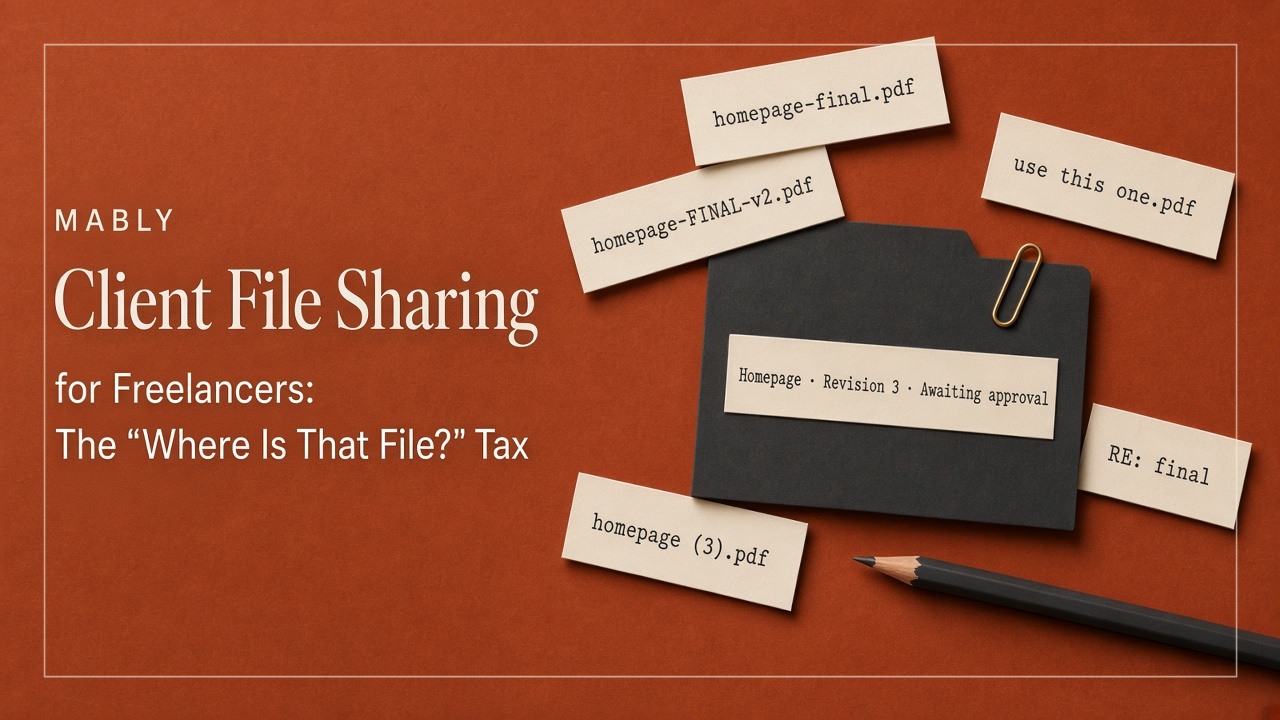
- homepage.pdf
- homepage-v2.pdf
- homepage-final.pdf
- homepage-FINAL-v2.pdf
- homepage-final-use-this.pdf
- Old
- Assets
- Misc
To you, the story is obvious. You remember the feedback round that produced v2, the tweak that became "final," and the last-minute change that made "use this" necessary. To the client, it's eight things with nearly identical names and no explanation.
A folder shows files. It doesn't show status, history or what happens next. And those are the things clients actually need.
Why sending another Drive folder doesn't fix it
When file sharing gets messy, the usual instinct is to get more organised with storage. Better folder structures. Stricter naming conventions. One shared folder per client instead of individual links.
These help, and you should do them. But they help you far more than they help the client, for a simple reason: the client still has to find the folder first.
And the folder link lives... where, exactly? In an email from three weeks ago. Pinned in a WhatsApp chat that now has four hundred messages. In a welcome doc they've never reopened. So the client searches their inbox, gives up and messages you. You've moved the problem one layer up.
There's a second issue: shared folders don't carry conversations. The client's feedback on homepage-v2 is in an email. Your reply is in WhatsApp. The approval, if there was one, is a thumbs-up somewhere else. The file and everything that was said about it live in different places, and only you know how they connect.
What the "where is that file?" tax actually costs
It's worth doing the maths once, just to see it.
Say you get three "can you resend that?" messages a week across all your clients. Each one takes about five minutes to handle properly: stop what you're doing, find the file, check it's the right version, reply, and get back into what you were doing before. That's fifteen minutes a week, or about thirteen hours a year, spent re-delivering work you already delivered.
Your numbers might be higher or lower. But the time is honestly the smaller cost. The bigger ones are harder to measure:
- Wrong versions get used. A client prints the logo from the v2 file because it was the first one they found.
- Feedback lands on old work. They comment on a draft you replaced last week.
- Approvals get fuzzy. If nobody's sure which file is current, nobody's sure which file was approved. (We wrote a whole piece on why that matters: why "looks good" isn't client approval.)
- You look less organised than you are. Your work might be excellent, but "sorry, which one is the latest?" doesn't feel premium.
Files should sit beside feedback, revisions and approval
The fix isn't a better folder. It's putting the file back together with its context.
When a client opens a deliverable, they should be able to see, in one place:
- The latest version, clearly marked as the latest
- Earlier revisions, still available but out of the way
- The feedback that was given on it, attached to the file itself
- Its status: waiting for review, changes requested or approved
- What's expected of them, if anything
Compare the before and after from the client's point of view.
Before, in their inbox:
- Homepage final.pdf
- RE: Homepage final.pdf
- homepage-FINAL-v2.pdf
- Here's the latest one
- Actually, use this one
After, in one place:
- Homepage → Revision 3 → Waiting for your approval
Same file. Same work. The difference is that the second version answers the client's question before they ask it.
One destination, not one storage provider
This is where a lot of freelancers get stuck. They hear "keep everything in one place" and think it means moving all their files into one tool.
It doesn't. You can keep using Drive for raw assets, Dropbox for big video files, Figma for design and Loom for walkthroughs. Those are all good at what they do.
What the client needs is one destination: a single link they can always go back to, where delivered work is laid out with its context, and where links to anything that lives elsewhere (the Figma file, the staging site, the shared asset folder) are sitting in the same spot.
That's the difference between a storage tool and a client portal. Storage is where your files live. A portal is where your client goes. If you're not sure what separates the two, our guide to client portals for freelancers covers it in more detail.
It's also why Mably's library isn't trying to replace every storage tool you use. Its job is to give delivered work a client-facing home where the file, its revisions, feedback and approval make sense together. Feedback stays on the file instead of in email, and the Figma, Drive, Loom and staging links clients keep asking for sit in one list on the same project.
How to share files with clients: the common options
Whatever you use, it helps to know what each option is good and bad at.
Email attachments
Easy and familiar, and fine for a single small file. But most email providers cap attachments at around 20 to 25 MB, versions multiply quickly and the file disappears into the client's inbox the moment it's sent.
Transfer links like WeTransfer
Great for sending one big file quickly. Not great as a project record, because free links usually expire after a few days. They're a delivery method, not a home.
Shared folders in Google Drive or Dropbox
Good for storage, collaboration and big collections of assets. Weak on context: no clear "latest version," no status and feedback that lives somewhere else. Works best when clients are already comfortable in the tool and you keep the structure very simple.
A client portal
One link per client where files sit beside revisions, feedback and approvals. More setup than an email, but it's the only option that answers "which one is current, and what do you need from me?" without extra messages.
Plenty of freelancers mix these. A portal for deliverables, Drive for large asset libraries, a transfer link for the occasional 4 GB video. That's fine, as long as the client has one obvious place to start.
Client file sharing habits that help, whatever tool you use
- Share the latest version, not the whole history. Old revisions should be available, not front and centre.
- Name files for the client, not for you. "Homepage design, revision 3" beats "hp_v3_FINAL_jd_edits.pdf."
- Write one line with every delivery. "Here's revision 3. I've changed the hero image and tightened the pricing section. Could you review by Thursday?" That sentence does more than any folder structure.
- Keep feedback on the file. If comments arrive by email, move them to wherever the file lives so the history stays in one place.
- Hand over properly at the end. Final files, in the formats the client needs, in one clearly labelled place they can come back to in a year.
The "send it once" test
Here's a simple way to know whether your client file sharing actually works.
Pick your last finished project and ask: did I ever have to send the same file twice?
Not a new version. The same file, again, because the client couldn't find it.
If the answer is no, your system works, whatever tools it's built from. If the answer is yes, the fix probably isn't another folder or a stricter naming convention. It's giving the client one place to go, where every file comes with the context that makes it make sense.
Deliver it once. Let it stay found.
Send it once. Let clients find it every time.
Mably keeps every file with its revisions, feedback and approval status, in one link your clients remember.
Try Mably freeFAQ
What is the best way to share files with clients as a freelancer?
The best setup gives clients one place to go for every delivered file, with the latest version clearly marked and feedback and approvals attached. Many freelancers use a client portal for deliverables and keep tools like Google Drive or Dropbox for large asset libraries, linking to them from the same place.
Can I use Google Drive as a client portal?
You can share a Google Drive folder with each client, and it works well for storing and accessing files. What Drive doesn't give clients is context: which version is current, what feedback was given and whether something is waiting for their approval. If clients regularly ask where files are or which version to use, a dedicated client portal usually solves that better.
How do I send large files to clients?
For one-off large files, a transfer service like WeTransfer or a Drive or Dropbox link works well. Most email providers limit attachments to around 20 to 25 MB, so avoid email for anything bigger. For files clients will need again later, store them somewhere permanent and link to them from your client portal rather than relying on links that expire.
How should I name files I share with clients?
Use names that make sense to the client, not just to you: the deliverable, the revision number and nothing else. "Homepage design, revision 3" is far clearer than "homepage-final-v2-USE-THIS.pdf." Better still, use a tool that tracks revisions for you, so the client always sees the latest version without having to compare filenames.
How do I stop clients from using old versions of files?
Make the latest version the most obvious one. Keep older revisions available but out of the way, label the current file clearly and avoid sending new versions as separate attachments in new emails. A client portal that shows revisions in order, with the newest on top, removes most of the confusion.
What should I give clients at the end of a project?
A complete handover: final files in every format they need, any source files your contract includes, links to live sites or design files, and a clear record of what was approved. Put it all in one place the client can find again months later, so you don't get a "can you resend the logo?" message a year from now.
.webp)